首页产品文档APISaaS平台
首页
产品文档
支付产品能力自动货币转换
API
接入准备支付服务退款服务Webhook 通知
SaaS平台
ShopifyWooCommerceShoplazzaSHOPYY
  • Shopify
  • WooCommerce
  • Shoplazza
  • SHOPYY
首页/SaaS平台/SHOPYY
StablePay 开发者文档
Home
Product
API
SaaS
Login
Register
GitHub
Home
Product
API
SaaS
Login
Register
GitHub
  • SaaS 电商平台 / Platform

    • Shopify
    • WooCommerce
    • Shoplazza
    • SHOPYY

SHOPYY 集成指南

本指南将帮助您的 SHOPYY 店铺集成 StablePay 稳定币支付功能。

This guide will help you integrate StablePay stablecoin payment into your SHOPYY store.

1. 在 StablePay 管理您的 SHOPYY 店铺

前置准备:请联系 StablePay 服务人员为您开通商户账号,账号密码会发送至您的邮箱。

Prerequisites: Please contact StablePay support to set up your merchant account. Your login credentials will be sent to your registered email address.

步骤

  1. 登录 StablePay 商户后台
  2. 进入【店铺管理】页面,点击 [创建店铺],渠道类型选择 SHOPYY,提交后等待 StablePay 审核
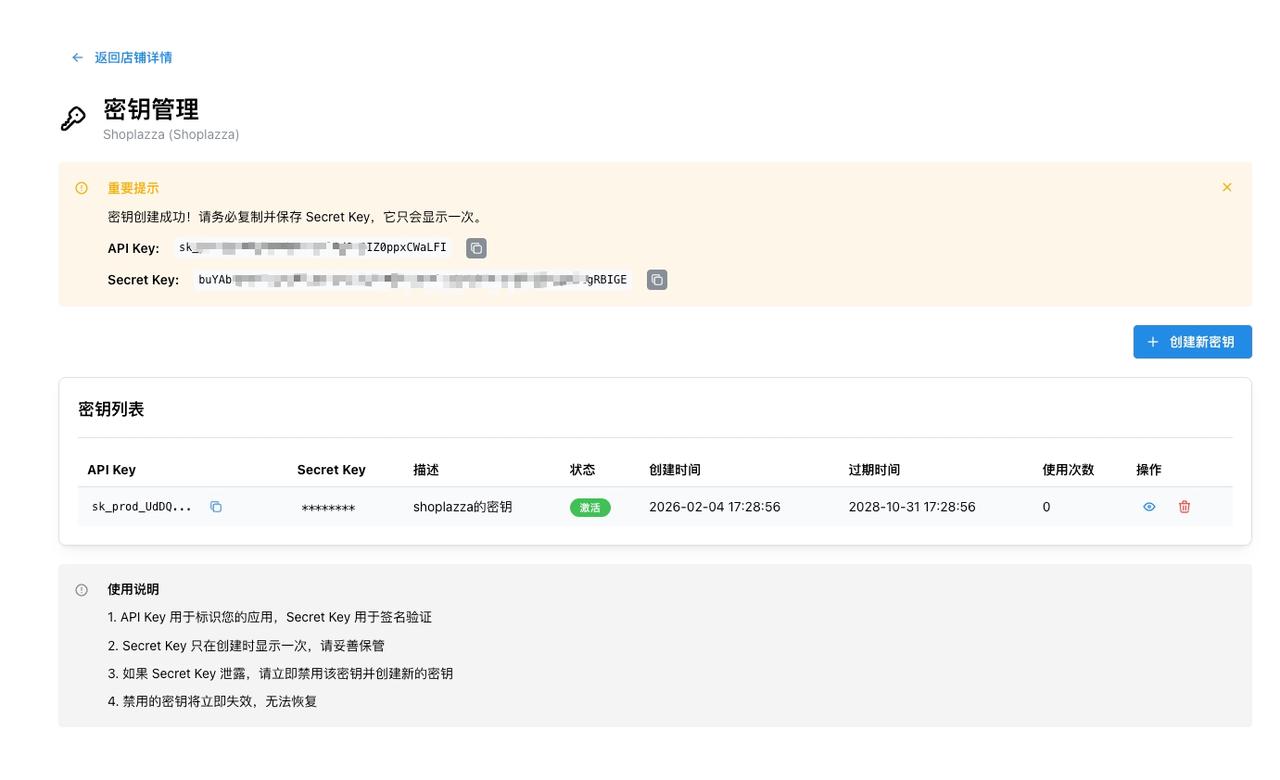
  3. 审核通过后,您可以通过店铺列表操作,创建并获得密钥 API Key、Secret Key、Webhook Secret
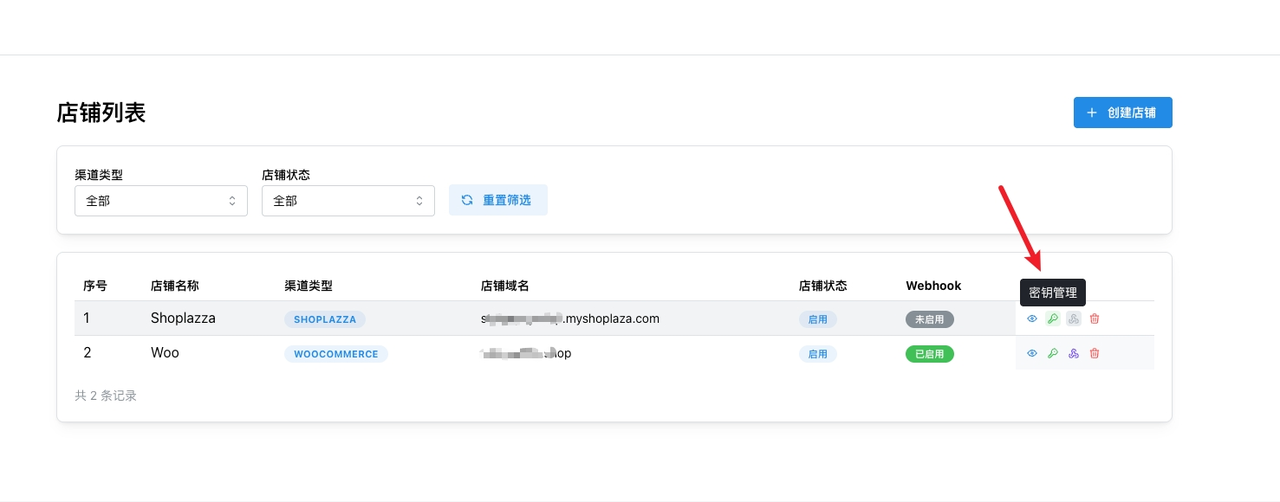
StablePay 店铺管理

创建店铺

Steps

  1. Log in to the StablePay Merchant Dashboard
  2. Navigate to [Store Management], click [Create Store], and select SHOPYY as the Channel Type for StablePay approval
  3. Once approved, go to your store list to generate and obtain your API Key, Secret Key and Webhook Secret

StablePay Store Management

Create Store

配置 Webhook URL

请将您的 SHOPYY 店铺域名替换 {yourdomain}:

https://{yourdomain}/homeapi/checkouts/server/stablepay/callback
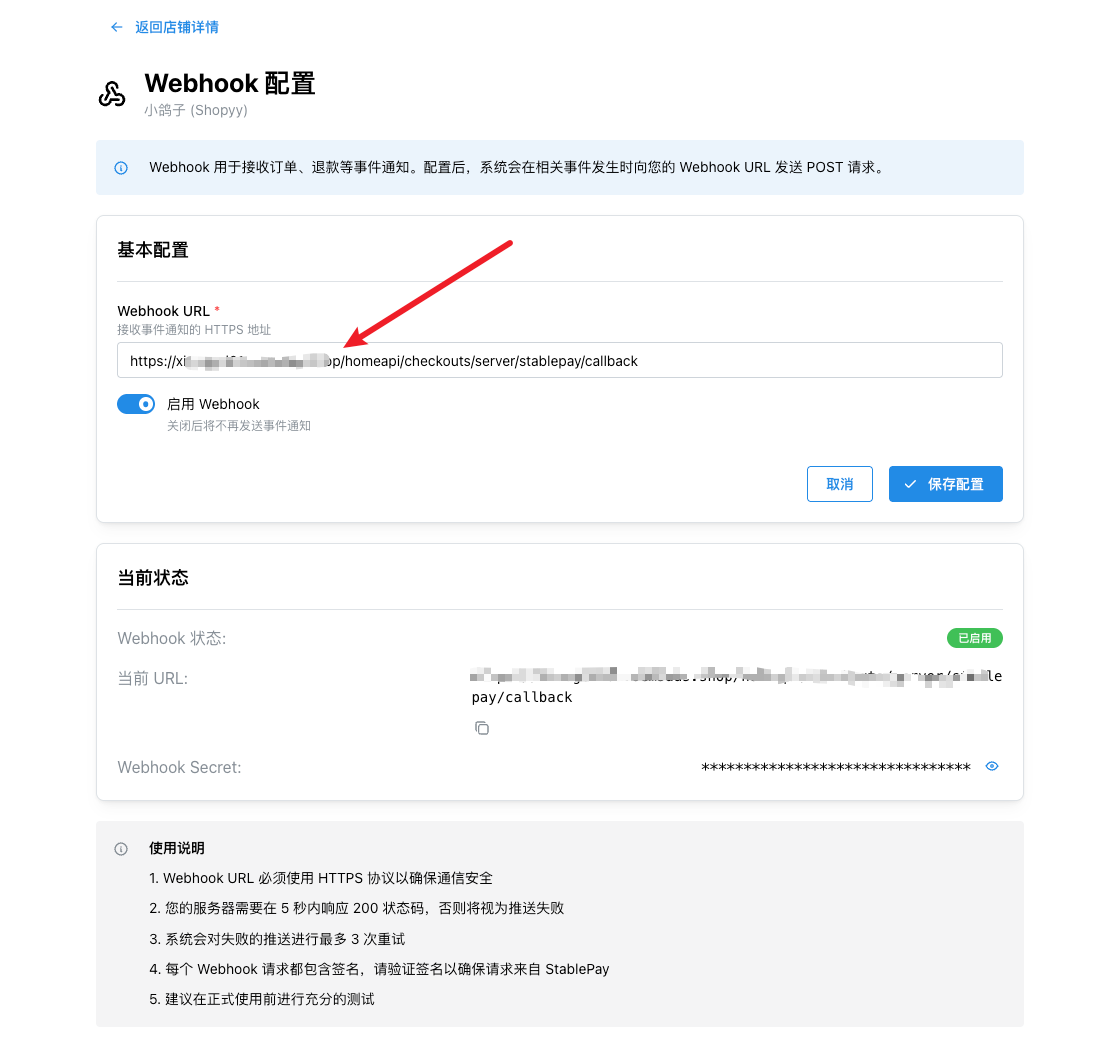
Webhook URL 配置

Replace {yourdomain} with your SHOPYY store domain:

https://{yourdomain}/homeapi/checkouts/server/stablepay/callback

Webhook URL Configuration

2. SHOPYY 后台绑定 StablePay 应用

步骤 2.1:登录 SHOPYY 后台【店铺设置-支付设置】
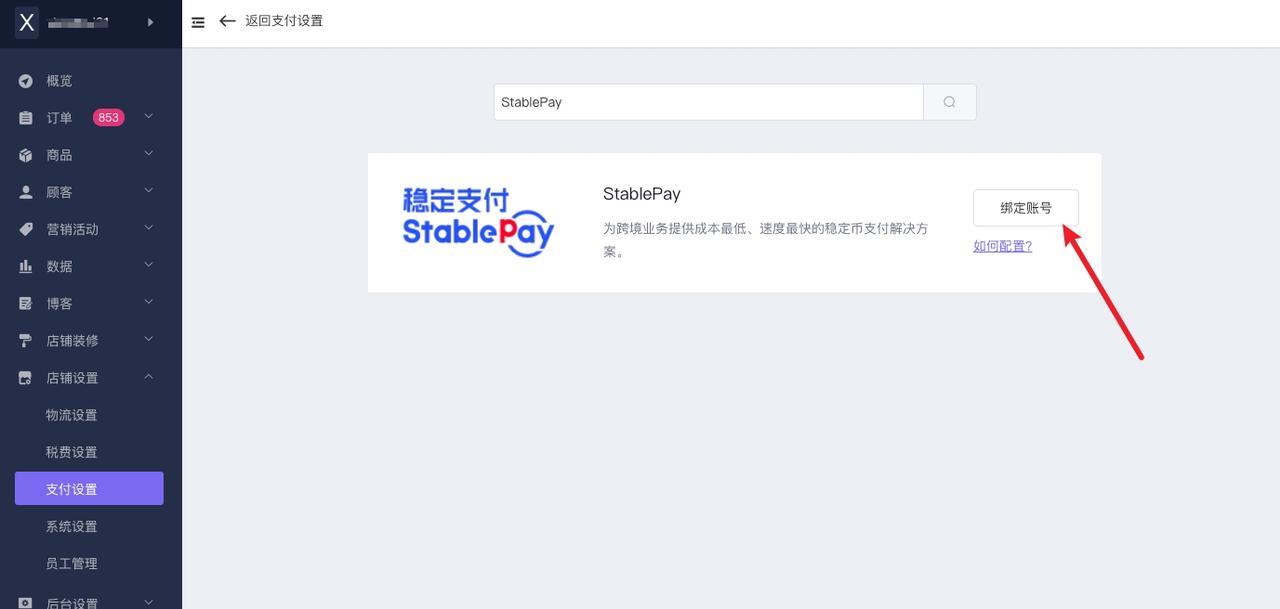
SHOPYY 支付设置

SHOPYY Payment Settings

步骤 2.2:绑定账号

输入在 StablePay 商户后台创建的 API Key、Secret Key、Webhook Secret。
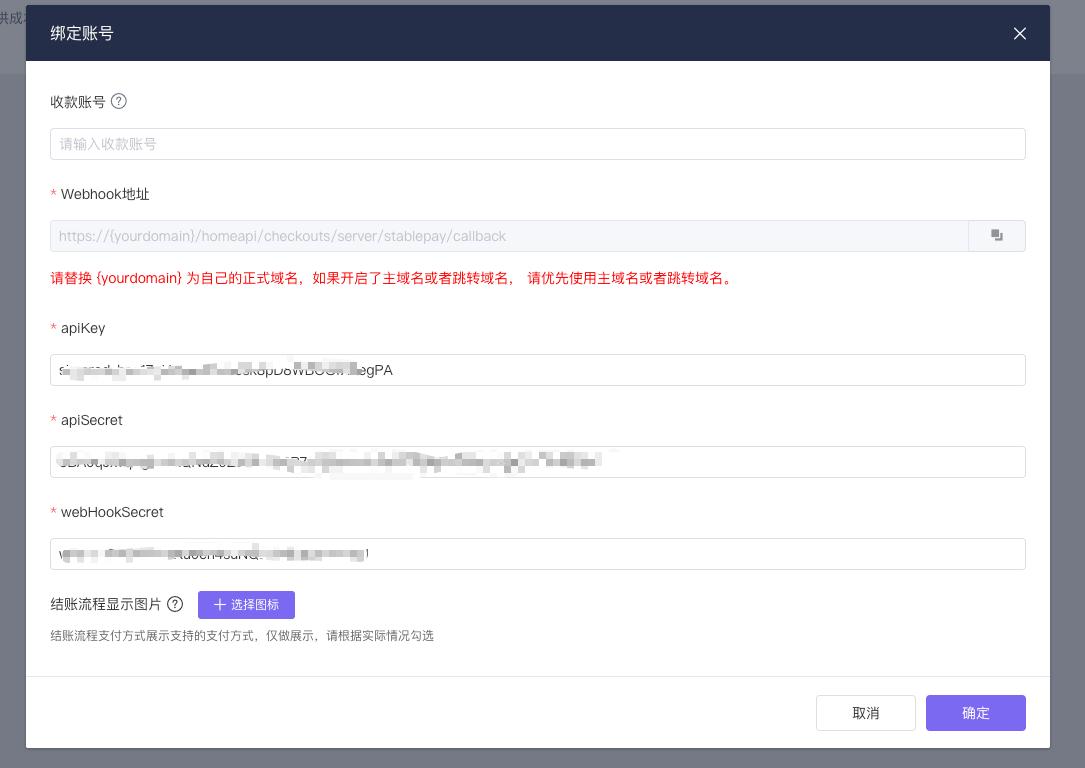
绑定账号

Enter the API Key, Secret Key, and Webhook Secret created on the StablePay Merchant Portal.

Bind Account

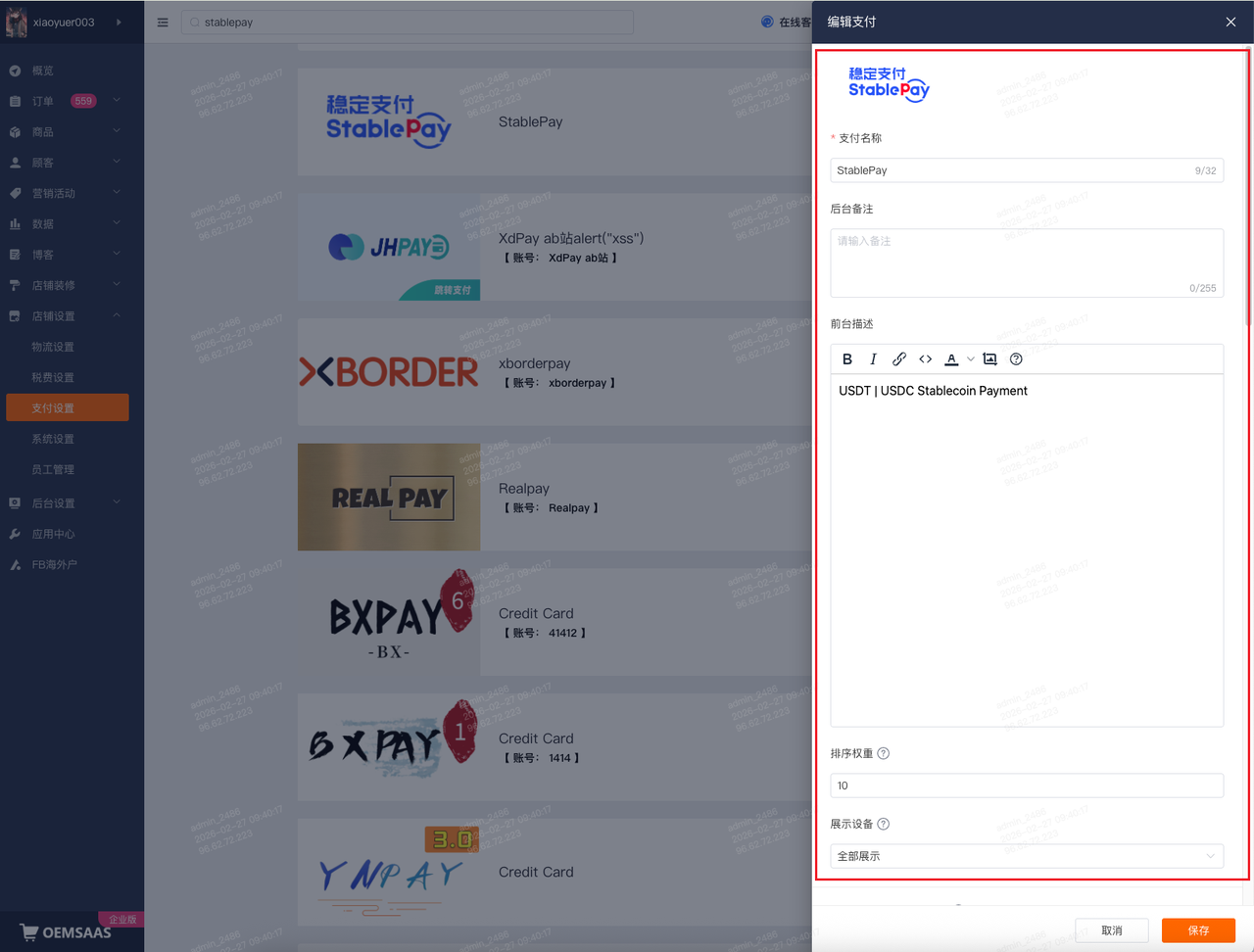
步骤 2.3:编辑支付展示

编辑支付展示

配置项建议值
支付名称StablePay
前台描述USDT | USDC Stablecoin Payment

Edit Payment Display

SettingRecommended Value
Payment NameStablePay
DescriptionUSDT | USDC Stablecoin Payment

3. 安装完成,开始使用 StablePay 收款

恭喜!您已成功完成 StablePay 与 SHOPYY 的集成,现在可以开始接收稳定币支付了。
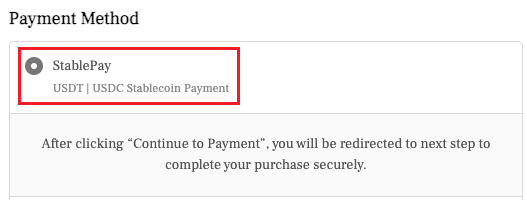
安装完成

Congratulations! You have successfully integrated StablePay with SHOPYY. You can now start accepting stablecoin payments.

Installation Complete

最后更新 / Last Updated: 2026/2/28 10:20
Prev
Shoplazza